What Speed is Low on Kitchenaid Mixer: Are you puzzled by the speed settings on your KitchenAid mixer? You’re not alone.
Understanding what speed is considered low can make a big difference in your cooking and baking adventures. Whether you’re whipping up a delicate meringue or mixing a hearty bread dough, using the right speed ensures perfect results every time. Imagine effortlessly creating silky smooth batters and doughs that rise to perfection.
This guide will unravel the mystery of the low-speed setting, empowering you to master your KitchenAid mixer like a pro. Stay with us, and discover how a simple adjustment can elevate your culinary creations to new heights.
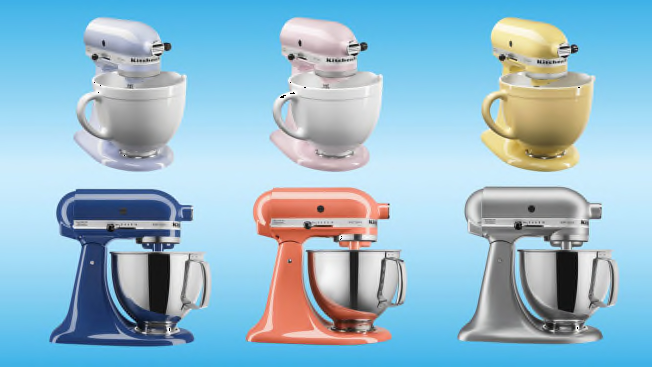
Credit: www.consumerreports.org
Kitchenaid Mixer Speeds
Kitchenaid mixers have multiple speed settings. Each speed helps with different mixing tasks.
Understanding the speed range helps you use your mixer well. You can get better results with the right speed.
Speed Range Overview
Kitchenaid mixers usually have 10 speeds. These range from very slow to very fast.
Low speeds start around 1 or stir mode. High speeds go up to 10 or whip mode.
- Speed 1-2: Stir and slow mixing
- Speed 3-4: Slow to medium mixing
- Speed 5-6: Medium mixing
- Speed 7-8: Fast mixing
- Speed 9-10: Whipping and beating
Purpose Of Different Speeds
Each speed has a special use in cooking or baking. Using the right speed protects your ingredients.
Low speeds help mix without splashing or overworking the dough.
- Speed 1 (Low): Stir ingredients gently
- Speed 2: Combine wet and dry ingredients slowly
- Speed 3-4: Beat eggs or mix batters
- Speed 5-6: Cream butter and sugar
- Speed 7-8: Whip cream or egg whites
- Speed 9-10 (High): Fast whipping for fluffy textures
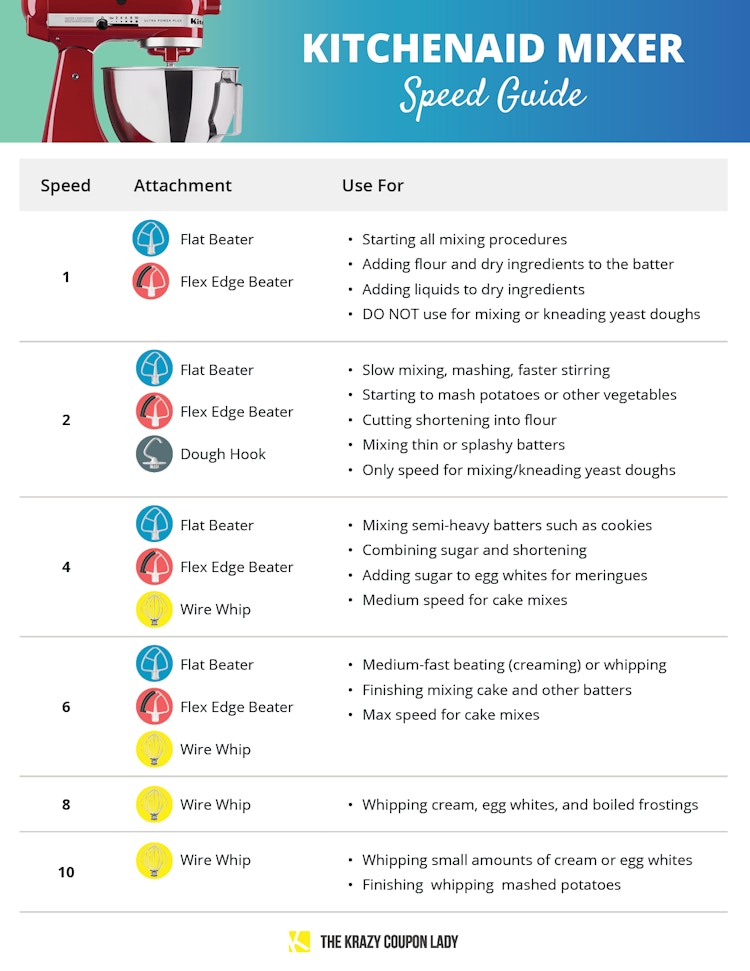
Credit: thekrazycouponlady.com
Identifying Low Speeds
KitchenAid mixers have many speed settings. Low speeds help you mix gently. They prevent splashing and overmixing.
Knowing which speeds are low helps you use the mixer better. You can choose the right speed for each task.
Speed Numbers Considered Low
Low speeds on a KitchenAid mixer usually range from 1 to 3. These speeds turn the mixer slowly. They create gentle mixing action.
- Speed 1: Very slow, best for stirring and combining.
- Speed 2: Slow, good for light mixing.
- Speed 3: Slightly faster, used for blending ingredients carefully.
Typical Uses For Low Speeds
Low speeds help with tasks that need slow mixing. They stop ingredients from flying out of the bowl.
- Mixing dry ingredients like flour and sugar.
- Adding liquids to dry mixes slowly.
- Stirring thick doughs without overworking.
- Whipping cream or egg whites gently at first.
- Combining ingredients for batters without splashing.
Benefits Of Low Speed Settings
Using low speed settings on your KitchenAid mixer helps control the mixing process. It allows you to handle ingredients gently and avoid messes.
Low speeds give you more precision. This is important for recipes that require careful mixing or delicate ingredients.
Avoiding Ingredient Splatter
Mixing ingredients at high speed can cause splatter. Low speed settings reduce this risk by mixing slowly and steadily.
- Keep ingredients inside the bowl
- Prevent mess on your countertop
- Reduce waste by not losing ingredients
- Allow gradual mixing of dry and wet ingredients
Gentle Mixing For Delicate Ingredients
Delicate ingredients like whipped cream or egg whites need slow mixing to keep their texture. Low speeds help preserve air and fluffiness.
| Ingredient | Reason for Low Speed |
| Whipped Cream | Preserve air for light texture |
| Egg Whites | Prevent deflating and overbeating |
| Flour | Avoid overmixing and tough dough |
| Chocolate Chips | Mix gently without breaking |
Common Tasks For Low Speeds
Using low speed on your KitchenAid mixer helps control the mixing process. It prevents over-mixing and keeps ingredients from splashing out.
Low speeds are perfect for starting recipes gently and combining ingredients evenly. This guide explains common tasks done at low speed settings.
Mixing Dry Ingredients
Mixing dry ingredients at low speed blends them without creating dust or mess. It helps ingredients like flour, baking powder, and sugar combine evenly.
- Prevents flour from flying out of the bowl
- Ensures even distribution of leavening agents
- Reduces dust clouds in your kitchen
Starting Dough Preparation
Low speed is ideal for starting dough. It mixes ingredients gently and begins gluten development without overworking the dough.
| Task | Benefit of Low Speed |
|---|---|
| Combining flour and water | Prevents dry pockets and ensures hydration |
| Adding yeast | Distributes yeast evenly for consistent rising |
| Mixing initial dough | Starts gluten formation without tearing dough |
Incorporating Add-ins
Low speed helps add nuts, fruits, or chocolate chips without breaking them. It gently folds add-ins into the mixture evenly.
- Prevents add-ins from smashing
- Distributes ingredients without overmixing
- Keeps texture intact in baked goods
Tips For Using Low Speeds Effectively
Low speeds on a KitchenAid mixer help mix ingredients gently. Using low speed correctly can improve your recipe’s texture.
Understanding when to use low speed saves you from over-mixing or splashing ingredients.
Gradual Speed Increase
Start mixing at low speed to combine ingredients without making a mess. Then raise the speed slowly as needed.
- Begin at speed 1 or 2 to blend dry and wet ingredients.
- Watch the mixture closely for changes in texture.
- Increase speed step-by-step to avoid splattering.
- Stop increasing speed once ingredients look well combined.
Matching Speed To Recipe
| Recipe Type | Recommended Low Speed Use |
| Cake Batter | Use low speed to mix dry and wet ingredients before increasing. |
| Whipped Cream | Start low to avoid splashes, then speed up gradually. |
| Bread Dough | Use low speed for initial kneading to prevent overworking. |
| Cookie Dough | Mix at low speed to combine without over-beating. |
Adjust the speed based on your recipe’s needs for the best results.
Troubleshooting Low Speed Issues
Low speed on your KitchenAid mixer can cause problems with mixing and baking. It is important to identify the reason for slow or uneven speed.
This guide covers common problems related to low speed and how to fix them safely and easily.
Mixer Not Spinning Properly
If the mixer does not spin well at low speed, check for blockages or damage. The motor or gears might be worn out or stuck.
- Unplug the mixer before inspection.
- Remove the mixing attachment and check for jammed food or debris.
- Inspect the drive shaft and gears for wear or damage.
- Clean the attachment hub and shaft to ensure smooth operation.
- If the motor stalls, consider professional repair or replacement.
Unusual Noises At Low Speed
Grinding, rattling, or squeaking sounds can mean internal parts need attention. These noises often signal gear or motor issues.
| Noise Type | Possible Cause | Action |
| Grinding | Worn gears or motor problems | Inspect gears; service motor |
| Rattling | Loose parts or screws | Tighten screws; check attachments |
| Squeaking | Lack of lubrication | Apply food-safe grease to moving parts |
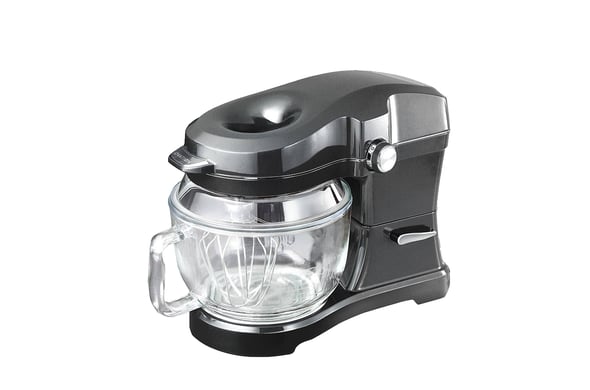
Credit: www.searspartsdirect.com
Frequently Asked Questions
What Speed Is Considered Low On A Kitchenaid Mixer?
Low speed on a KitchenAid mixer typically ranges from 2 to 4. This setting is ideal for slow mixing, stirring, or combining ingredients gently without splashing.
When Should I Use Low Speed On My Kitchenaid Mixer?
Use low speed to mix dry ingredients, start combining wet ingredients, or avoid flour dust clouds. It prevents overmixing and keeps the batter smooth.
Can Low Speed Damage A Kitchenaid Mixer?
No, using low speed will not damage your KitchenAid mixer. It’s designed for gentle mixing and helps protect motor and attachments during delicate tasks.
How Does Low Speed Affect Baking Results?
Low speed prevents overmixing, which keeps baked goods tender and light. It helps incorporate ingredients evenly without adding too much air or gluten.
Conclusion
Low speed on a KitchenAid mixer means gentle mixing. It helps blend ingredients without splashing or overworking. Use low speed for delicate tasks like folding or stirring. This setting keeps mixtures smooth and prevents damage. Understanding speed levels improves your baking and cooking.
Always start slow and increase speed if needed. This way, your recipes turn out just right every time.