
Are you frustrated with those hard-to-reach spots in your KitchenAid dishwasher that never seem to get clean? You’re not alone!
Many people face this issue, and the solution might be simpler than you think. Removing the bottom rack of your KitchenAid dishwasher can make a world of difference in getting to those hidden corners. Imagine the satisfaction of a spotless dishwasher and sparkling clean dishes.
In this guide, you’ll learn the straightforward steps to effortlessly remove the bottom rack, making your cleaning process more efficient than ever. Keep reading to discover how you can transform your dishwashing routine and ensure your appliance is performing at its best.
Tools Needed
Removing the bottom rack from a KitchenAid dishwasher is easy. You only need a few simple tools. These tools help you take out the rack safely.
Using the right tools saves time and prevents damage to the dishwasher. Get ready before you start the removal process.
Screwdriver
A screwdriver is often needed to remove screws that hold the rack in place. Most KitchenAid dishwashers use Phillips head screws.
Check the screws on the side rails or end caps of the rack. Use the screwdriver to loosen them if needed.
Pliers
Pliers help to grip and pull out small parts or clips. These clips might secure the rack to the rails.
Use pliers carefully to avoid bending or breaking the clips during removal.
Flashlight
A flashlight helps you see inside the dishwasher clearly. Some clips or screws can be hard to spot in dim light.
Use a flashlight to check the rack’s sides and rails before you start removing it.
Work Gloves
Wearing work gloves protects your hands from sharp edges inside the dishwasher. It also helps you get a better grip on parts.
Choose gloves that fit well so you can handle the rack easily.
Locate The Bottom Rack
The bottom rack is the largest rack inside your Kitchenaid dishwasher. It holds bigger items like pots, pans, and plates.
Knowing where the bottom rack is will help you remove it safely and easily.
Open The Dishwasher Door Fully
Start by opening the dishwasher door all the way down. This gives you clear access to the racks inside.
The bottom rack slides out easily when the door is fully open.
Identify The Largest Rack Inside
The bottom rack is the lowest and largest rack inside the dishwasher. It sits closest to the floor of the dishwasher tub.
Look for the rack that holds the biggest dishes and cookware.
Check For Sliding Rails
The bottom rack moves on two metal or plastic rails on each side. These rails help the rack slide in and out smoothly.
Finding these rails helps confirm you have located the bottom rack correctly.
Clear Space Around The Rack
Make sure the area around the bottom rack is free from dishes or obstacles. This helps you pull it out without trouble.
- Remove any large items on the bottom rack
- Clear nearby racks if needed
- Ensure nothing blocks the sliding rails
Identify The Rack Stops
The bottom rack of a KitchenAid dishwasher slides in and out on rails. Rack stops are small parts that prevent the rack from sliding out completely. Knowing how to find these stops helps you remove the rack safely.
This guide explains where to look for the rack stops and how they work. You will learn how to identify them before removing the bottom rack.
Location Of Rack Stops
Rack stops are located at the end of the metal rails on both sides of the bottom rack. They keep the rack from sliding all the way out. Look near the back of the dishwasher on each side.
Types Of Rack Stops
KitchenAid dishwashers use different types of rack stops. The most common are plastic clips or metal tabs. These parts snap or slide onto the rails.
- Plastic clip stops that snap onto the rail
- Metal tabs that slide over the rail ends
- Spring-loaded stops that lock the rack in place
How To Check If Rack Stops Are Present
Before you try to remove the bottom rack, check for rack stops. Pull the rack out slowly. If it stops and does not come out, rack stops are installed. If it slides out easily, the stops may be missing or removed.
| Rack Stop Type | Visual Clue | Function |
|---|---|---|
| Plastic Clip | Small, clear or white clip at rail end | Snaps on to prevent rack removal |
| Metal Tab | Folded metal piece bent over rail | Blocks rack from sliding off |
| Spring-Loaded Stop | Small spring part inside rail end | Locks rack when fully extended |

Credit: www.amazon.com
Release The Rack Stops
Removing the bottom rack from your KitchenAid dishwasher requires releasing the rack stops. These stops keep the rack from sliding out completely during regular use.
There are two common types of rack stops: slide-off and lift-and-pull. Each type has a simple way to remove the rack safely.
Slide-off Rack Stops
Slide-off rack stops fit at the ends of the rack rails. They prevent the rack from sliding out too far. To remove these stops, you usually slide them off the rail.
- Pull the rack out until you reach the stops.
- Hold the rack stop firmly with one hand.
- Slide the stop off the end of the rail.
- Repeat for the stop on the other side.
- Once both stops are off, slide the rack out completely.
Lift-and-pull Rack Stops
Lift-and-pull rack stops lock the rack in place by snapping onto the rails. You need to lift them slightly before pulling them off.
Follow these steps to remove lift-and-pull rack stops:
- Pull the rack out to the stop point.
- Lift the rack stop gently to release the clip.
- Pull the stop away from the rail.
- Do this for both sides of the rack.
- Slide the rack out fully once stops are removed.
Remove The Bottom Rack
Removing the bottom rack of a KitchenAid dishwasher is easy. It helps to clean the dishwasher or fix problems inside.
This guide shows simple steps to pull out the bottom rack safely without damage.
Pulling The Rack Out
Open the dishwasher door fully to access the bottom rack. Grasp the sides of the rack firmly with both hands.
Slide the rack straight out along the tracks. Keep it level to avoid hitting the dishwasher walls.
Handling Resistance
If the rack feels stuck, check for any items blocking the tracks. Remove those objects before trying again.
Do not force the rack out. Gently wiggle the rack side to side while pulling to ease it free.
- Look for debris or utensils blocking the rack
- Wiggle rack slightly to loosen it
- Pull slowly and evenly on both sides
- If stuck, check for damaged tracks or stops
Reinstalling The Bottom Rack
After removing the bottom rack from your KitchenAid dishwasher, you need to put it back properly. This helps the dishwasher work well and keeps your dishes safe.
Follow these simple steps to reinstall the bottom rack easily and correctly.
Align The Rack With The Rails
Start by lining up the bottom rack with the metal rails inside the dishwasher. The rails guide the rack in and out smoothly.
Make sure the wheels on the rack match the rails to avoid any damage.
Slide The Rack Back In
Gently push the bottom rack straight into the dishwasher along the rails. Do this slowly to keep the wheels on track.
Stop pushing once the rack is fully inside and flush with the dishwasher door frame.
Check For Smooth Movement
After placing the rack, pull it out and push it in a few times. The rack should move smoothly without sticking.
If the rack feels stuck, remove it and realign the wheels on the rails.
Troubleshooting Common Issues
Removing the bottom rack from a KitchenAid dishwasher is usually simple. Sometimes, problems like stuck racks or broken parts get in the way.
This guide helps you fix common issues when removing the bottom rack. Follow these tips to avoid damage and get the rack out smoothly.
Stuck Rack Stops
Rack stops prevent the bottom rack from sliding out too far. If they are stuck, the rack won’t come out easily.
- Check if the stops are dirty or clogged with debris.
- Clean the stops using a damp cloth or mild soap.
- Gently push or lift the stops to release them.
- Do not force the rack to avoid breaking the stops.
- If stops are broken, they need replacement before removing the rack.
Damaged Rack Components
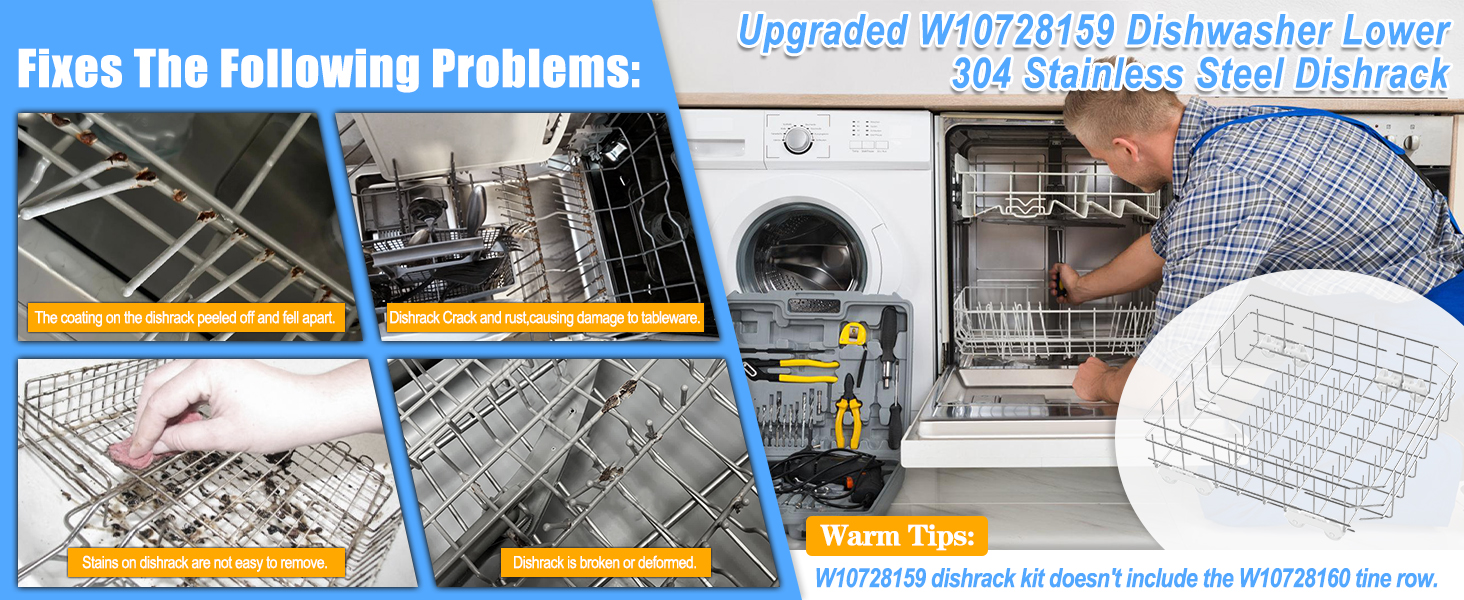
Damaged parts like wheels or rails can cause the rack to jam. Inspect these components before trying to remove the rack.
| Component | Issue | Solution |
| Wheels | Cracked or stuck | Replace wheels or lubricate axles |
| Rails | Bent or misaligned | Straighten rails or replace if badly damaged |
| Rack Stops | Broken or missing | Install new stops before removing rack |
Credit: vacunorosado.com

Credit: www.amazon.com
Frequently Asked Questions
How Do I Remove The Bottom Rack From A Kitchenaid Dishwasher?
To remove the bottom rack, pull it out completely until the wheels reach the end of the track. Then, lift the rack slightly and pull it out of the track. This process is simple and requires no tools.
What Tools Are Needed To Remove The Bottom Rack?
No tools are required to remove the bottom rack from a Kitchenaid dishwasher. It is designed for easy removal by hand for cleaning or maintenance purposes.
Can I Remove The Bottom Rack For Dishwasher Cleaning?
Yes, removing the bottom rack helps you clean hard-to-reach areas inside the dishwasher. It improves maintenance and ensures better washing performance.
How Do I Reinsert The Bottom Rack Into The Dishwasher?
To reinsert, align the rack wheels with the track. Slide it in gently, ensuring the wheels stay on the track. Push until it fully seats inside.
Conclusion
Removing the bottom rack from your KitchenAid dishwasher is simple. Just follow the steps carefully and take your time. This task helps with cleaning and fixing your dishwasher. No special tools are needed, and you can do it yourself. Regular maintenance keeps your dishwasher working well.
Now you know how to remove the bottom rack easily. Keep your kitchen running smoothly with this quick tip.